But under the hood, the workload profile is completely different.
And that difference is exactly why gaming-focused PCs often struggle—or fail—in simulator environments.
This article breaks down how simulator workloads differ from gaming, and why simulators demand a more engineering-driven system design.
Short answer
Gaming workloads are bursty and optimized for peak performance.
Simulator workloads are sustained, latency-sensitive, and stability-driven.
That one difference changes how a system should be built.
Gaming workloads are built for peaks
Most modern games are designed around visual impact and fast responsiveness, often with short-to-medium sessions and lots of “reset points”
like menus, cutscenes, and level transitions.
Typical gaming workload characteristics include:
- Rapid spikes in CPU and GPU usage
- Frequent scene changes and transitions
- Variable frame pacing that’s usually acceptable
- Heavy emphasis on peak FPS and benchmark results
- Less focus on multi-hour thermal saturation
In other words, many gaming systems are optimized to look great, hit high FPS, and score well in benchmarks.
That doesn’t automatically translate to simulator reliability.
Simulator workloads are built for continuity
Simulation software behaves differently. It tends to run closer to a steady-state load and it often stays there for hours.
You don’t get the same frequent “cool down” moments you see in typical gaming.
Common simulator workload traits:
- Sustained CPU and GPU utilization
- Long uninterrupted sessions (often 2–6+ hours)
- Real-time physics, telemetry, and sensor input
- Strict sensitivity to frame-time consistency
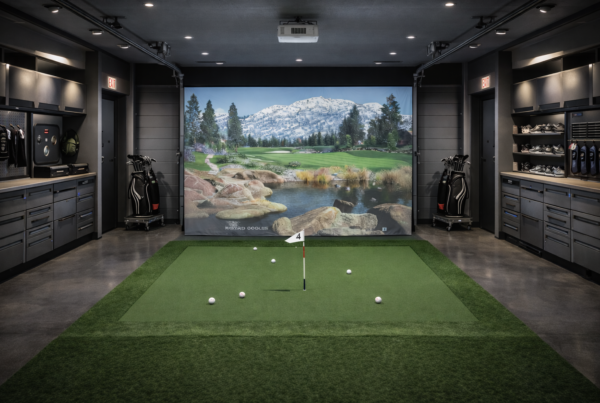
- Integration with external hardware (tracking, launch monitors, motion systems)
This turns the PC into something closer to a workstation in behavior—even if it uses consumer components.
Frame consistency matters more than peak FPS
In gaming, peak FPS is a common goal. In simulation, frame consistency is often the bigger deal.
A racing sim that occasionally drops from 120 FPS to 95 FPS might still feel “fine” for many players.
But a simulator that introduces unpredictable stutter or latency during input capture, tracking updates, or physics calculations can feel wrong fast.
Simulators tend to care more about:
- Stable frame times
- Predictable latency
- Minimizing stutter under sustained load
That’s why a PC that benchmarks great can still deliver a noticeably worse simulator experience.
CPU behavior: different stress patterns
Gaming CPU load is often bursty—spikes in AI, draw calls, and scene transitions.
Simulator CPU load is more likely to be continuous, with physics and data processing that rarely truly idles.
Gaming CPU workloads often include:
- Burst-thread loads
- Short spikes tied to gameplay moments
- More frequent load resets
Simulator CPU workloads often include:
- Continuous physics and state calculations
- Telemetry and device input processing
- Multi-threaded work that stays active for long stretches
This is where power delivery, cooling, and boost behavior under sustained load really show their value.
GPU load: rendering without breaks
Gaming GPUs usually get built-in breaks: menus, cutscenes, loading screens, or natural pauses.
Simulator rendering pipelines often run with fewer interruptions, especially in dedicated sim setups.
Simulator GPU load commonly includes:
- High-resolution projection surfaces
- Multi-display pipelines
- VR rendering constraints and frame pacing requirements
- Sustained power draw and sustained heat output
Over time, sustained heat and power can expose weak cooling design and cause clock drift or throttling—exactly what you don’t want in a simulator.
Multi-display and VR can change everything
Many simulator setups run triple screens, ultra-wide projection, VR, or a hybrid approach.
That multiplies pixel throughput and adds synchronization complexity that typical gaming benchmarks don’t capture.
Common simulator display demands include:
- Triple-screen rendering with consistent frame delivery
- High refresh requirements for smooth motion
- VR headsets that punish inconsistent frame timing
- Driver and VRAM pressure from large render targets
A system stable for “4K gaming” isn’t automatically stable for three synchronized displays or VR with strict frame pacing.
Thermal saturation is the silent killer
One of the biggest differences between gaming and simulation workloads is thermal saturation.
Gaming load tends to spike and drop. Simulator load tends to ramp up, hit a plateau, and stay there.
If cooling is designed only for benchmarks, heat builds slowly, and performance can drift over time.
Thermal saturation can lead to:
- Lower sustained boost clocks
- More aggressive fan ramps (and more noise)
- Higher long-term component stress
Simulator systems should be designed for thermal equilibrium, not just a great first 10 minutes.
Why gaming PCs often struggle in simulators
It’s not because they’re “weak.” It’s because many are optimized for a different target: peak performance in short bursts.
Simulators need predictable behavior for long stretches.
Common pain points include:
- Inconsistent frame delivery or micro-stutter
- Thermal throttling after extended sessions
- Noise levels that become unacceptable in indoor sim rooms
- Tracking, camera, or USB instability under sustained load
What a simulator PC should be optimized for
A properly engineered simulator PC prioritizes sustained performance and reliability over short-lived peak numbers.
- Sustained performance over benchmark spikes
- Thermal stability over flashy aesthetics
- Consistent power delivery
- Quiet operation under continuous load
- Long-term reliability
That’s why simulator PCs are built differently, even when the spec sheet looks similar.
Final thought
Gaming PCs chase peak performance. Simulator PCs chase predictable behavior.
If your system is expected to behave like professional equipment, it should be engineered like professional equipment.
Simulator Platforms We Support
RBS systems are designed for the most common simulator platforms used today.
Golf simulators
TrackMan · Uneekor · Foresight
Racing simulators
iRacing · Assetto Corsa · rFactor
Flight simulators
MSFS · X-Plane · Prepar3D