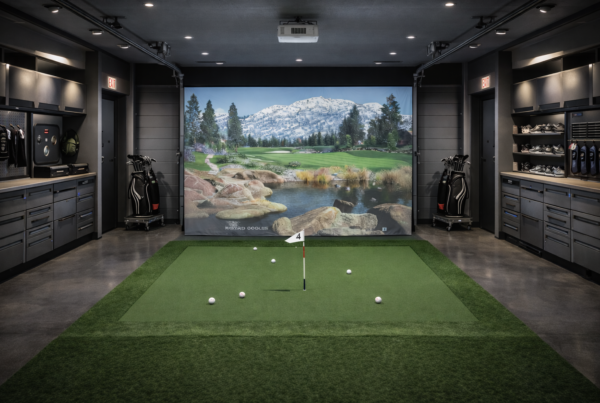
Running it across multiple screens or inside a VR headset is something else entirely.
Multi-screen and VR setups change how a system renders, synchronizes, and delivers frames.
Understanding that difference is critical for simulator performance.
Short answer
Multi-screen and VR performance depends less on raw FPS
and more on synchronization, frame pacing, and timing consistency.
These setups amplify weaknesses that single-screen gaming often hides.
Why display configuration matters in simulation
Display configuration defines how much work the system must do per frame.
More screens or VR displays increase pixel throughput,
synchronization complexity, and timing sensitivity.
In simulation, these factors affect accuracy,
not just visual quality.
Multi-screen simulation workloads
Multi-screen setups typically render multiple views simultaneously.
This is different from stretching a single image across displays.
Common characteristics include:
- Multiple synchronized render targets
- Higher total pixel count
- Increased GPU memory usage
- Greater CPU involvement in scene management
Each additional screen adds complexity, not just resolution.
Triple-screen vs ultra-wide displays
Triple-screen setups render separate perspectives.
Ultra-wide displays render a single, wide perspective.
Triple screens:
- Increase synchronization demands
- Stress CPU and GPU coordination
- Are more sensitive to timing inconsistencies
Ultra-wide displays simplify synchronization,
but still demand sustained GPU performance.
VR workloads behave differently
VR simulators introduce strict frame timing requirements.
Frames must be delivered consistently to avoid discomfort.
VR workloads typically involve:
- High refresh rate targets
- Low-latency rendering pipelines
- Additional processing for tracking and reprojection
Missed frames in VR are far more noticeable
than on traditional displays.
Frame pacing and synchronization
Frame pacing determines how evenly frames are delivered.
In multi-screen and VR setups,
uneven pacing can cause visible stutter
even when average FPS appears high.
Synchronization issues often emerge when:
- CPU and GPU workloads are unbalanced
- Thermal limits affect clock stability
- Background processes interrupt rendering
Latency sensitivity increases with complexity
Multi-display and VR setups increase the total latency chain.
More steps mean more opportunities for delay.
In simulation, increased latency affects:
- Control responsiveness
- Motion perception
- Overall realism
High FPS alone does not compensate for added latency.
Thermal and power behavior under display-heavy load
Rendering multiple displays or VR for long sessions
produces sustained thermal load.
As temperatures stabilize:
- Boost behavior changes
- Clocks may fluctuate
- Frame delivery becomes less predictable
Display-heavy setups expose cooling and power weaknesses quickly.
Why gaming display advice often fails for simulators
Gaming advice often focuses on resolution and average FPS.
Simulation performance depends on consistency and synchronization.
A system that feels smooth in single-screen gaming
may struggle when asked to synchronize multiple displays or VR pipelines.
What simulator systems should optimize for
Multi-screen and VR simulator PCs should prioritize predictable behavior.
Key priorities include:
- Balanced CPU and GPU performance
- Stable frame pacing under sustained load
- Low and consistent latency
- Thermal equilibrium for long sessions
Final thought
Multi-screen and VR setups don’t just increase visual immersion.
They increase system complexity.
In simulation, performance is defined
not by how fast frames are rendered,
but by how consistently they arrive.
Simulator Platforms We Support
RBS systems are designed for the most common simulator platforms used today.
Golf simulators
TrackMan · Uneekor · Foresight
Racing simulators
iRacing · Assetto Corsa · rFactor
Flight simulators
MSFS · X-Plane · Prepar3D