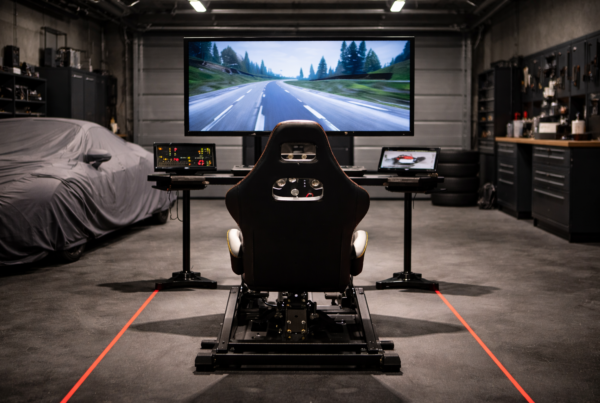
What works well on a single display can break down quickly
when three or more screens are involved.
Multi-screen performance is not just about resolution.
It is about synchronization, timing, and sustained stability.
Short answer
Multi-screen performance depends on how consistently a system can render,
synchronize, and deliver frames across multiple displays.
Raw FPS matters less than frame pacing and timing stability.
What “multi-screen” actually means in simulation
In simulation, multi-screen setups usually render
multiple independent views rather than one stretched image.
This often includes:
- Separate camera perspectives
- Independent render targets
- Synchronized frame output across displays
Each screen adds computational and timing complexity.
Why multi-screen behaves differently than single-screen
Single-screen rendering follows a simple pipeline.
Multi-screen rendering introduces coordination.
The system must:
- Prepare multiple views per frame
- Keep displays synchronized
- Avoid frame drift between outputs
Small inconsistencies become far more visible.
The CPU’s role in multi-screen performance
Multi-screen setups increase CPU involvement.
Scene preparation, draw calls, and synchronization
place continuous pressure on the processor.
CPU limitations often show up as:
- Uneven frame pacing
- One or two cores saturating
- Inconsistent delivery between screens
High GPU usage alone does not tell the full story.
The GPU’s role in multi-screen workloads
GPUs must render more pixels and manage more frame buffers.
VRAM usage increases, and sustained power draw becomes the norm.
GPU-related limitations often appear as:
- Reduced sustained clocks
- Memory pressure
- Thermal-induced performance drift
Stability over time matters more than peak throughput.
Frame pacing across multiple displays
Frame pacing determines how evenly frames arrive.
In multi-screen setups, poor pacing can cause
subtle stutter or visual desynchronization.
This can happen even when:
- Average FPS appears high
- No single component is fully saturated
Consistent pacing is critical for realism.
Resolution scaling and total pixel load
Multi-screen performance scales with total pixel count,
not just individual screen resolution.
Three 1440p displays can exceed the load of a single 4K screen.
This affects:
- GPU workload
- Memory bandwidth
- Thermal behavior
Why long sessions expose multi-screen weaknesses
Multi-screen simulators often run for hours.
Sustained load reveals thermal and power limitations.
Over time, this can lead to:
- Clock instability
- Increased fan noise
- Gradual loss of smoothness
Why gaming advice doesn’t translate well
Gaming advice often focuses on resolution and FPS.
Simulation requires synchronization and consistency.
A system tuned for single-screen gaming
may struggle when asked to deliver synchronized frames
across multiple displays.
What simulator systems should optimize for
Multi-screen simulator PCs should prioritize predictable behavior.
Key priorities include:
- Balanced CPU and GPU performance
- Stable frame pacing under sustained load
- Sufficient VRAM and memory bandwidth
- Thermal equilibrium during long sessions
Final thought
Multi-screen setups don’t just increase immersion.
They increase system responsibility.
In simulation, the best multi-screen experience
comes from consistency, not raw speed.
Simulator Platforms We Support
RBS systems are designed for the most common simulator platforms used today.
Golf simulators
TrackMan · Uneekor · Foresight
Racing simulators
iRacing · Assetto Corsa · rFactor
Flight simulators
MSFS · X-Plane · Prepar3D