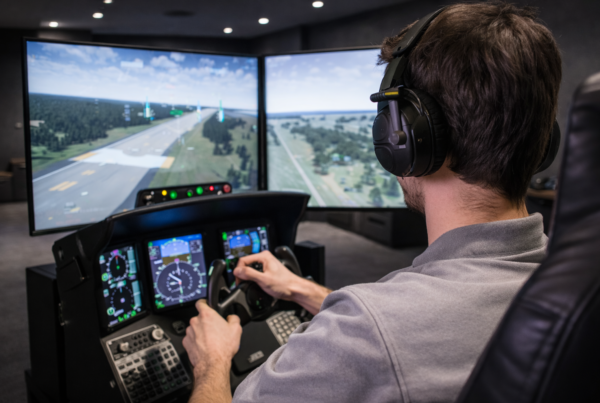
They must render them in sync.
When displays fall out of synchronization,
even slightly, the result feels wrong—
even if average FPS looks fine.
Short answer
Synchronization issues in multi-display setups occur
when frames are not delivered to all screens at the same time.
In simulation, even small timing mismatches reduce realism and consistency.
What synchronization actually means
In a multi-display simulator,
synchronization means every screen updates
as part of the same visual moment.
Each display must:
- Receive its frame on time
- Present it in lockstep with the others
- Maintain consistent pacing over time
This is far more complex than single-screen rendering.
Why desynchronization is so noticeable
Human vision is extremely sensitive to motion inconsistencies.
When one screen updates slightly earlier or later,
motion appears to “tear” across displays.
In simulation, this affects:
- Corner entry perception
- Speed judgment
- Overall spatial awareness
Frame pacing and timing drift
Synchronization issues often originate from uneven frame pacing.
Frames may be rendered quickly enough on average,
but arrive at inconsistent intervals.
Over time, this can cause:
- Subtle screen drift
- Intermittent stutter
- Loss of visual coherence
The CPU’s role in display synchronization
The CPU prepares frames and coordinates display output.
In multi-display setups, this coordination load increases.
CPU-related sync issues often appear when:
- One or two cores saturate
- Scheduling is interrupted
- Background processes delay frame preparation
GPU performance alone cannot fix these problems.
GPU behavior and synchronization pressure
GPUs must deliver multiple frames per cycle
while maintaining consistent timing.
Synchronization issues can emerge when:
- VRAM usage approaches limits
- Thermal behavior causes clock fluctuation
- Multiple outputs compete for bandwidth
These effects often worsen over long sessions.
Refresh rate and display mismatches
Displays with different refresh rates
complicate synchronization.
Even small mismatches can cause:
- Frame delivery offsets
- Inconsistent motion across screens
- Increased synchronization overhead
Matching display characteristics improves stability.
Why long sessions reveal sync problems
Synchronization issues often appear gradually.
As temperatures stabilize and clocks adjust,
small timing differences accumulate.
This is why multi-display simulators
may feel smooth at startup
and less coherent an hour later.
Why gaming advice doesn’t solve synchronization issues
Gaming advice usually focuses on FPS or resolution.
Synchronization is a timing problem, not a speed problem.
Raising performance without improving timing
often makes desynchronization more visible.
What simulator systems should optimize for
Multi-display simulator PCs must prioritize coordination.
Key priorities include:
- Consistent frame pacing
- Balanced CPU and GPU workloads
- Stable thermal behavior
- Matched display refresh characteristics
Final thought
Multi-display simulators succeed or fail on timing.
When every screen moves together,
the system disappears.
When they don’t, immersion breaks instantly.
Simulator Platforms We Support
RBS systems are designed for the most common simulator platforms used today.
Golf simulators
TrackMan · Uneekor · Foresight
Racing simulators
iRacing · Assetto Corsa · rFactor
Flight simulators
MSFS · X-Plane · Prepar3D